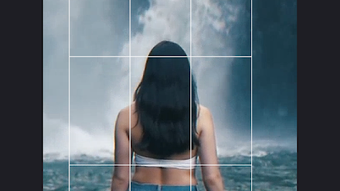

Download Trim Crop Video APK – video crop tool, trim video, free video editing app, Android video editor, lightweight video app, video editing for beginners
Overview
Trim Crop Video APK is a free Android application developed by Any VideoLab USA, designed to simplify basic video editing tasks for mobile users. The app focuses on two essential editing functions—trimming and cropping—offering a streamlined alternative to more complex video editing platforms. It addresses a common limitation in standard phone gallery editing tools, which typically only support trimming. By adding a dedicated crop function, the app empowers users to refine their videos with greater control over composition and aspect ratios. This makes it particularly useful for content creators, social media users, and casual video editors who need quick, efficient edits without the complexity of professional-grade software.
The application is tailored for individuals seeking a lightweight, fast, and user-friendly solution for on-the-go video adjustments. It is especially suitable for beginners who may be overwhelmed by the cluttered interfaces of advanced editing tools. The app supports standard aspect ratios such as 4:3, 16:9, 9:16, 1:1 (square), and others, allowing users to format videos for different platforms like YouTube, Instagram, TikTok, or Facebook. The developer did not provide additional system requirements, but the app is described as compatible with most Android devices and regularly updated for newer models.
Key Features & Capabilities
- Video Trimming – Users can set custom start and end points to remove unwanted segments from their videos, ideal for shortening clips or isolating key moments.
- Aspect Ratio Crop – The app supports predefined aspect ratios including 4:3, 16:9, 9:16, and 1:1, enabling users to tailor videos for specific platforms or display formats.
- Custom Crop Area Selection – Users can manually select the portion of the video they wish to keep, offering flexibility for creative framing and focus adjustments.
- Lightweight Design – With a file size of 15.8 MB, the app is optimized for performance on devices with limited storage and processing power.
- Free to Use – The app is available at no cost, with no in-app purchases or hidden fees reported in the provided information.
These features cater to real-world scenarios such as preparing short-form content for social media, removing dead space from recordings, or adjusting video dimensions to fit specific screen formats. The combination of trimming and cropping in a single lightweight package reduces the need for multiple tools, streamlining the editing workflow for mobile users who value speed and simplicity.
User Interface, Workflow & Performance
Trim Crop Video APK features a clean and intuitive interface designed with usability in mind. Navigation is straightforward, allowing users to access trimming and cropping tools with minimal steps. The workflow is linear: import a video, select the desired function, adjust settings, and export the edited file. This simplicity makes the app accessible even to users with no prior editing experience.
Performance observations are based on general software behavior patterns. The app is described as fast and lightweight, suggesting efficient memory and CPU usage. The developer did not specify resource usage details, but the 15.8 MB installation size indicates a minimal footprint. Stability is implied through the mention of regular updates and secure distribution via Google Play. No reports of crashes or performance degradation were included in the provided data.
Compatibility & System Requirements
Trim Crop Video APK is designed for Android devices and is compatible with the latest versions of the operating system. The app’s version is 2.1.0, released on April 15, 2024. It has a file size of 15.8 MB, which is considered small for a video editing tool. The developer did not provide detailed hardware or OS version requirements, but the app is described as compatible with most Android devices. This suggests broad accessibility across a range of smartphones and tablets.
Exact system requirements were not listed. Compatibility information was partially provided, indicating that the app is regularly updated to maintain compatibility with new Android devices. Users should expect smooth operation on modern Android phones and tablets, though older models may experience limitations not specified in the input.
Pros and Cons
Pros
- Free to download and use with no hidden costs
- Supports both trimming and cropping in a single lightweight app
- Offers multiple aspect ratios for platform-specific video formatting
- Simple interface ideal for beginners and casual users
- Small file size (15.8 MB) reduces storage impact
Cons
- No advanced editing features such as filters, transitions, or audio editing
- Exact system requirements were not specified
- Limited to basic video adjustments; not suitable for complex editing tasks
- Performance details on CPU or RAM usage were not provided
- Only available on Android; no support for iOS or desktop platforms
FAQ Section
Is Trim Crop Video APK safe to download?
The app is described as secure and free from malware or viruses. It is distributed through Google Play, which provides a verified environment for app downloads.
Can I use this app without an internet connection?
Yes, the app functions offline. Once installed, all editing features are available without requiring an active internet connection.
Does the app support iOS devices?
No, the app is currently only available for Android devices. There is no information about iOS compatibility.
How often is the app updated?
The app is regularly updated to ensure compatibility with the latest Android devices, according to the developer.
What type of license does the app use?
Trim Crop Video APK is free to use with no licensing fees. It is distributed under a free-to-use model with no restrictions on personal or non-commercial use.
Final Thoughts + CTA
Trim Crop Video APK delivers a focused, efficient solution for users who need to trim and crop videos on Android without the complexity of full-featured editing software. Its lightweight design, intuitive interface, and dual functionality make it an excellent choice for beginners and casual editors. While it lacks advanced features, it excels in its core purpose: simplifying essential video edits. For those seeking a secure, free, and fast way to adjust video content on the go, this app stands out as a practical tool. The regular updates and Google Play distribution further enhance its reliability.
Download Trim Crop Video APK now




.png)


